Beginner Template Pack for Canva
Get beginner-friendly Canva templates you can open, edit, and use right away. No blank pages, no guesswork, and no design experience needed.

Learn Canva faster
Use beginner-friendly templates that help you create better designs without starting from scratch.

Avoid beginner mistakes
Work from clean, ready-made layouts so your designs look more polished from the start.

Templates you can actually use
Get practical Canva layouts for real everyday projects beginners often need to make.
Professional Canva Designs, Made Simple
If Canva feels confusing, overwhelming, or your designs never look quite right — you’re not alone.
Most beginners waste hours guessing, tweaking, and still end up with designs that look amateur.
This beginner Canva template pack removes the guesswork so you can create clean, professional-looking designs fast — even if you’ve never designed anything before.
In under an hour, you’ll be creating Canva designs that actually look professional.
About the templates
What's Included
Designing in Canva doesn’t have to feel confusing or overwhelming.
This beginner Canva pack was created for people who want good-looking designs without needing design skills, fancy tools, or hours of trial and error. Every layout is simple, clean, and easy to customise — even if this is your first time opening Canva.
All templates are fully editable. You can change the text, colours, fonts, and images in just a few clicks, with no technical setup required.
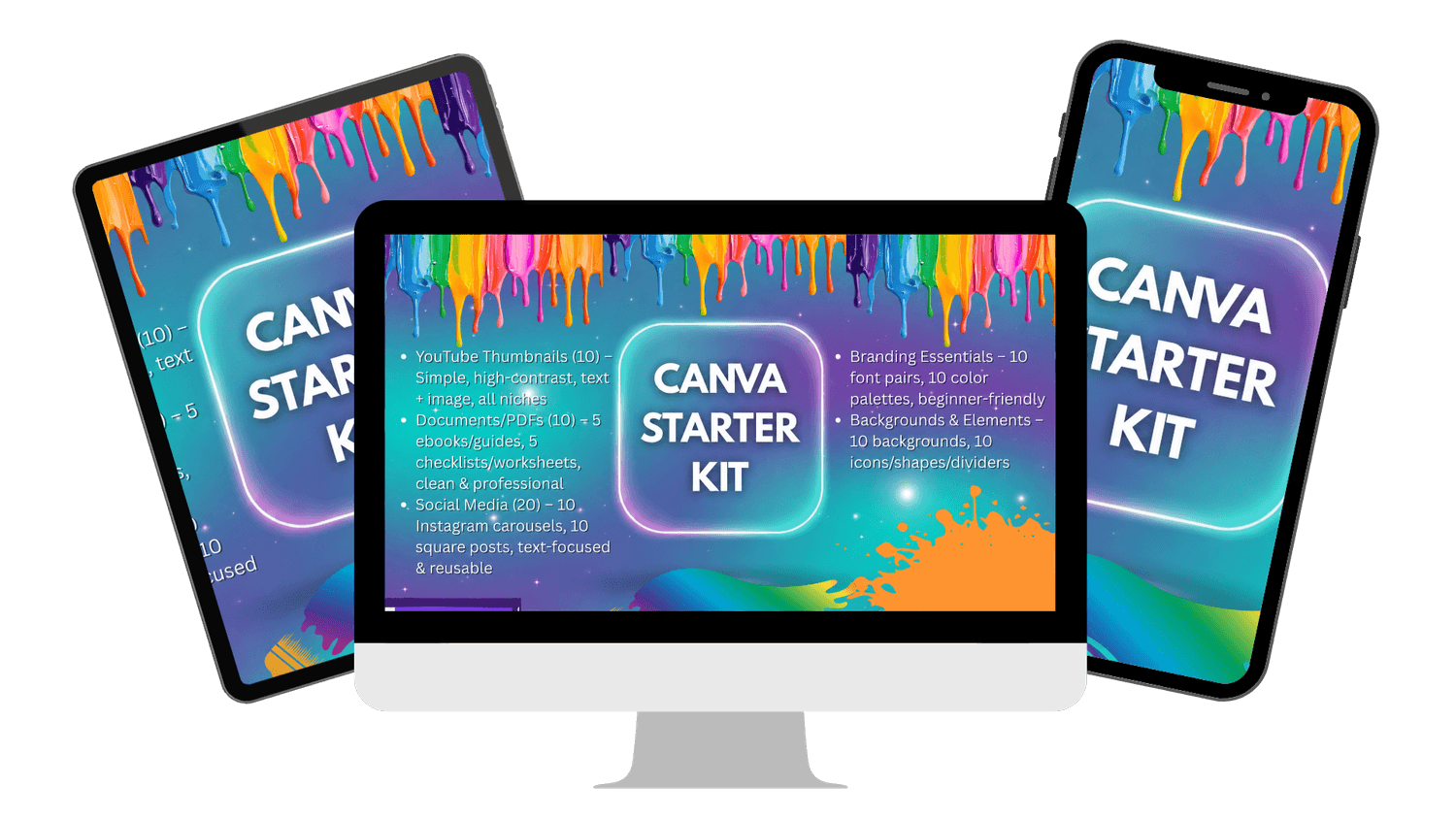
This starter pack gives you ready-to-use layouts for the most common things beginners actually need:
• Ebook layouts
• Worksheets and checklists
• Instagram posts and carousels
• Thumbnails
• Backgrounds and design elements
• Font combinations and colour palettes
Each layout is designed to help you stay consistent, look professional, and save time — without starting from a blank page.

Who is this for?
This Is Perfect For You If…
You’re new to Canva and feel overwhelmed
Your designs “work” but don’t look professional
You don’t want to learn design theory or watch hours of tutorials
You just want templates that look good and are easy to edit

John Smith
Small Business Owner
You want clean, professional designs without hiring a designer. These templates help you create eBooks, worksheets and social posts that look polished, even if design isn't your thing.

Sarah Kim
Content Creator
You need layouts you can reuse over and over. This pack gives you ready-made Canva designs so you can focus on creating content, not fixing spacing, fonts or colours.

Michael Lee
Online Coach/Educator
You create PDFs, guides and learning resources. These templates make it easy to present your content clearly, consistently and professionally without starting from scratch.
What's inside?
Everything in this pack is designed for Canva beginners who want clean layouts without overthinking design.
You get a collection of ready-to-use templates that cover the most common things people create in Canva — all fully editable and reusable

eBook Layouts
Simple, clean ebook page designs you can use for guides, lead magnets, or digital downloads.
Just drop in your text and images and you’re done.

Worksheets & Checklists
Easy-to-read layouts for worksheets, planners, and checklists.
Perfect for courses, downloads, or client resources.

Instagram Posts
Ready-made square post designs you can customise in minutes.
No guessing font sizes or spacing — it’s already done for you.

Instagram Carousels
Swipe-friendly carousel layouts designed to keep things clear and consistent.
Great for tips, steps, and educational content.

Thumbnails
Clean thumbnail layouts you can reuse across videos or platforms.
Designed to look neat, readable, and professional.

Backgrounds & Elements
A small set of flexible backgrounds and design elements you can reuse across different designs to keep everything looking consistent.

Font Combinations
Pre-paired font combinations that work well together.
No guessing which fonts “match” — just pick one and go.

Colour Palettes
Beginner-friendly colour palettes you can apply across your designs for a clean, cohesive look.
All templates are fully editable in Canva. You can change text, colours, fonts, and images — no design experience required.
ABOUT ME
Hi, I'm Matt!
I specialise in creating clean, practical Canva layouts designed for clarity, consistency, and ease of use.
After working with a wide range of digital content and design formats, I noticed the same problem over and over — most people don’t need more tools, they need better structure.
These templates are built around proven layout principles, so you can create professional-looking designs in Canva without guessing spacing, fonts, or alignment.

Buy the Pack

✔ Instant access to your templates
Beginner Template Pack for Canva
$14.99$7.99
🎁 FREE BONUS (Included Today)
Passive Profit with Canva + ChatGPT Guide
Learn how to turn Canva designs into sellable digital products — even as a beginner.
✔ Personal use licence
✔ Instant Canva access
✔ Fully editable templates
✔ Reusable for unlimited projects
✔ No design experience required
Got questions?
This template pack is for Canva beginners who want clean, professional designs without learning design theory. It’s ideal for content creators, small business owners, educators, and anyone creating PDFs or social posts.
You’ll get editable Canva templates for eBooks, worksheets, checklists, Instagram posts, carousels, thumbnails, plus font combinations and colour palettes.
After checkout, you’ll get instant access via a link. Open the templates in Canva and start editing straight away.
This is a Canva template pack, not a traditional ebook. You’re buying ready-made designs you can edit and reuse, not long written lessons.
Yes. These templates were built specifically for beginners. You don’t need any design experience — if you can click, type, and drag, you can use them.
No. The templates work with both free and Pro Canva accounts. If you use Pro features like premium photos, that’s optional.
Yes. You can reuse the templates as many times as you like for your own projects under the personal use licence.
That’s fine. There’s no setup, no downloads to install, and no learning curve. Everything is edited directly inside Canva.
Still unsure? These templates are designed to save you time, remove guesswork, and help your designs look clean from day one.
Easy Canva Tutorials is an independent educational business and is not affiliated with, sponsored by, or endorsed by Canva Pty Ltd. Canva is a trademark of Canva Pty Ltd.